
Agent Activity
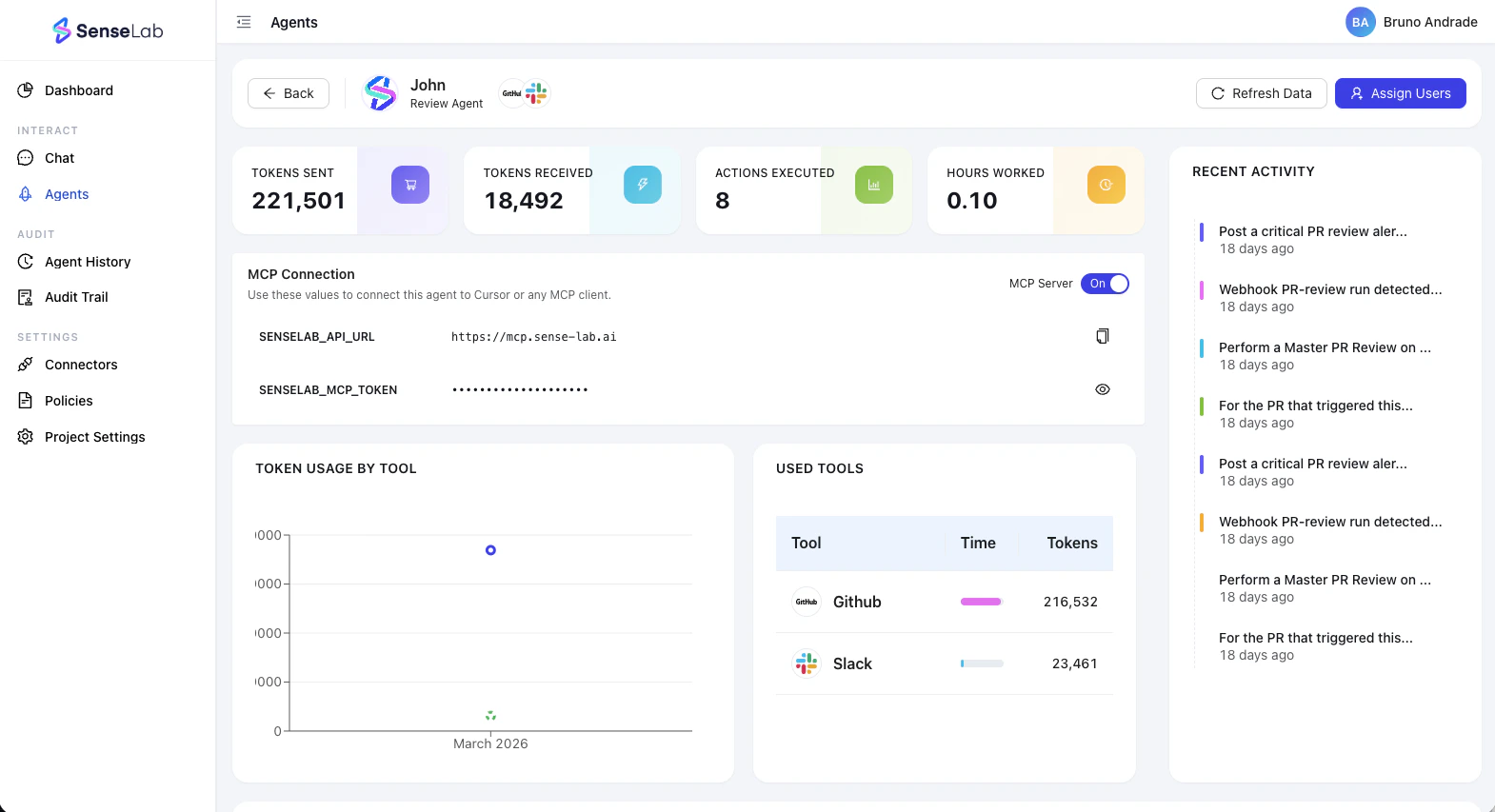
- The action performed (e.g.
PR review triggered,Finding posted,Policy evaluated) - The repository and PR it relates to
- The timestamp of when it happened
Agent Work
The Work section surfaces two key metrics that help you quantify the value your Review agent delivers.Actions Executed
The total number of discrete actions the agent has taken — PR reviews run, findings generated, policy checks completed. A direct measure of agent output.
Estimated Time Worked
An estimate of the cumulative time the agent has spent working, based on the complexity and volume of actions executed. Use this to calculate ROI against your team’s review time.
Token Usage
The Tokens section gives you full transparency into how many tokens your Review agent is consuming and how that usage breaks down by tool. You’ll see:- Total tokens used — cumulative token consumption across all agent activity
- Breakdown by tool — token usage split by each review function the agent runs (e.g. Security Deep Dive, Infra Changes Review, Perf and Cost Review)
MCP Server
Every Review agent gets its own individual MCP (Model Context Protocol) server. This allows you to connect the agent directly to AI coding tools like Claude Code, Cursor, or any other MCP-compatible environment.Each agent has its own isolated MCP server. This is intentional — it increases security by ensuring that access to one agent’s context does not expose another agent’s repositories or findings.
Enable or disable MCP access
From the agent management interface, you can toggle the MCP server on or off at any time.- Enabled — the agent is reachable via MCP. Use the provided endpoint to connect it to Claude Code, Cursor, or other tools.
- Disabled — the MCP server is inactive. The agent continues to run PR reviews and post findings, but cannot be reached via MCP.
Connecting your agent
Once enabled, copy the MCP endpoint from the agent management interface and add it to your tool’s MCP configuration. The agent becomes available as a live collaborator — you can ask it about findings, query its review history, and use it as context during development.- Claude Code
- Cursor
Add the agent’s MCP endpoint to your Claude Code MCP configuration. Once connected, you can reference the agent’s findings and review history directly from your editor.
Function Management
The Functions tab shows the review functions currently assigned to the agent and lets you add or remove them at any time.| Function | What it does |
|---|---|
| PR Security Deep Dive | Analyzes pull requests for security vulnerabilities, insecure patterns, and risky dependencies introduced by AI-generated code |
| PR Infra Changes Review | Reviews infrastructure-as-code changes in PRs — Terraform, Kubernetes manifests, Docker files, and more |
| PR Perf and Cost Review | Flags performance inefficiencies and cost-impact changes introduced in the PR |
| PR Maintainability Review | Surfaces code that will be hard to understand, test, or modify over time |
| PR Test and Quality Gates | Checks test coverage, quality gates, and whether the PR meets defined testing standards before merge |
| Master PR Review | A comprehensive review that combines all of the above into a single pass |
Function changes take effect on the next incoming request. PRs already in progress will complete with the previous function set. New PRs opened after you save will use the updated configuration.
What’s next
Review Overview
Understand what your Review agent tracks and surfaces on every PR.
Creating Agents
Create a new Review agent or review the setup steps.