What is AI Lineage?
AI Lineage is SenseLab’s free-forever tier. It gives you a live picture of how AI is being used across your engineering team — which files it touched, which models contributed, which tools your developers are using, and how many hours it saved. No repository connection required. Install the CLI and you’re collecting data in minutes.The problem it solves
Most teams have no idea what’s actually happening with AI in their codebase. Developers are using Cursor, Copilot, Claude, and others — but there’s no centralized view. Engineering managers can’t answer basic questions like:- How much of our code is AI-generated?
- Which developers have adopted AI tools, and which haven’t?
- Which models are being routed through our team?
- How many hours is AI saving us per sprint?
AI Lineage makes the invisible visible. It’s the foundation every team needs before they can make intelligent decisions about AI tooling, risk, and compliance.
What you get
AI Attribution
See exactly which lines and files were touched by AI, which model wrote them, and which developer was in the session. Full attribution — no guessing.
Team AI Score
A composite score across adoption, coverage, activity volume, and session quality. Know at a glance how well your team is leveraging AI — and where the gaps are.
Session Tracking
Track AI coding sessions from first edit to git push. See median session length, total events, AI commits, and estimated hours saved.
Team Coverage
Know which team members are actively using AI tools and which aren’t. Full coverage means complete insights. Partial coverage means blind spots.
AI Tool Breakdown
See which IDEs and AI coding tools (Cursor, GitHub Copilot, Claude Code, Windsurf, etc.) your team is using and in what proportion.
Model Usage
Track which LLMs your team is routing through — GPT-4o, Claude, Gemini, and more — and how heavily each is used across the org.
Your dashboard
Once lineage is enabled, your SenseLab Dashboard provides a live view of all this data.Team AI Score
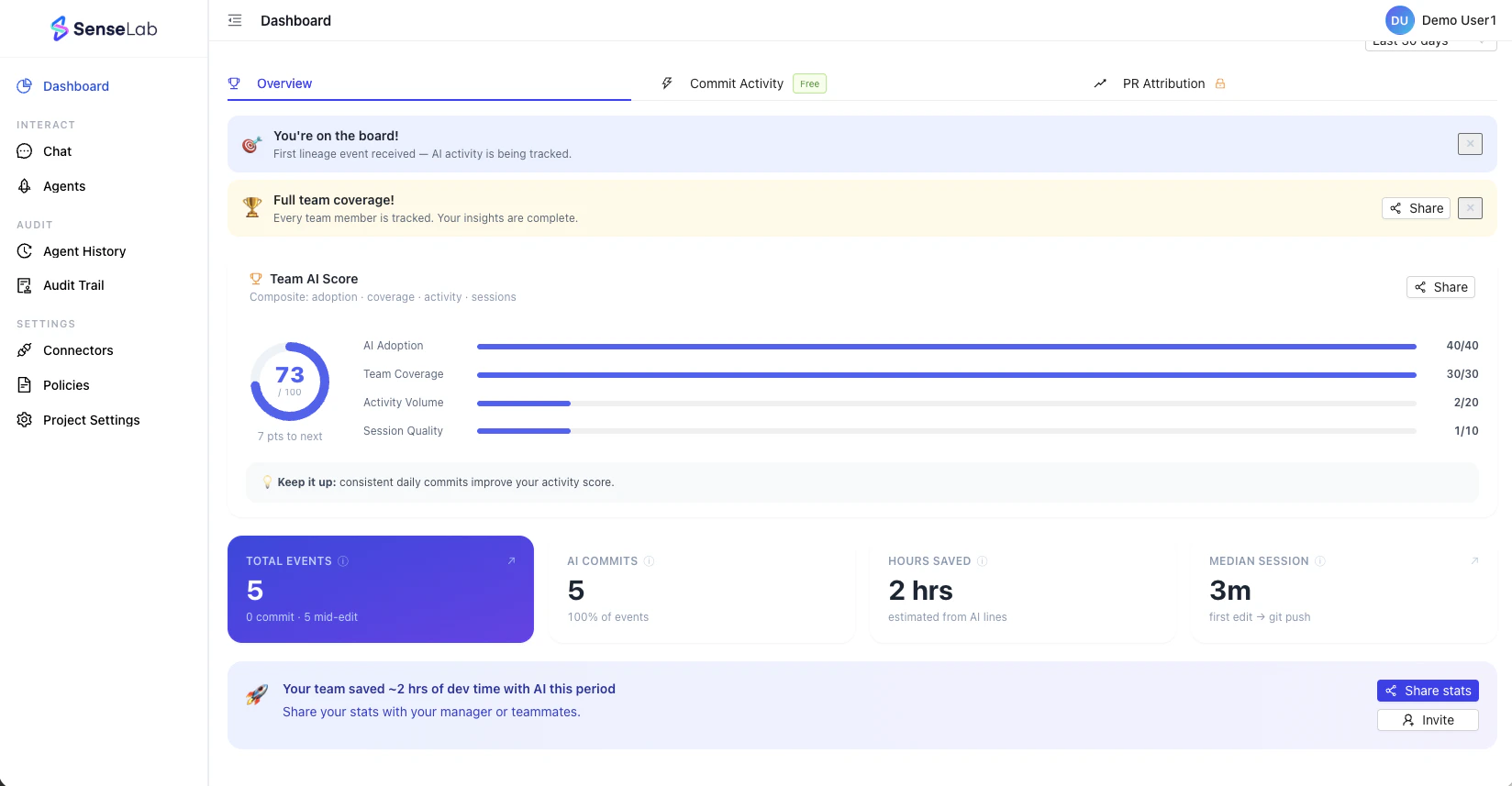
| Dimension | What it measures |
|---|---|
| AI Adoption | % of developers actively using AI tools |
| Team Coverage | % of the team being tracked |
| Activity Volume | Volume of AI-assisted commits and edits |
| Session Quality | Depth and quality of AI coding sessions |
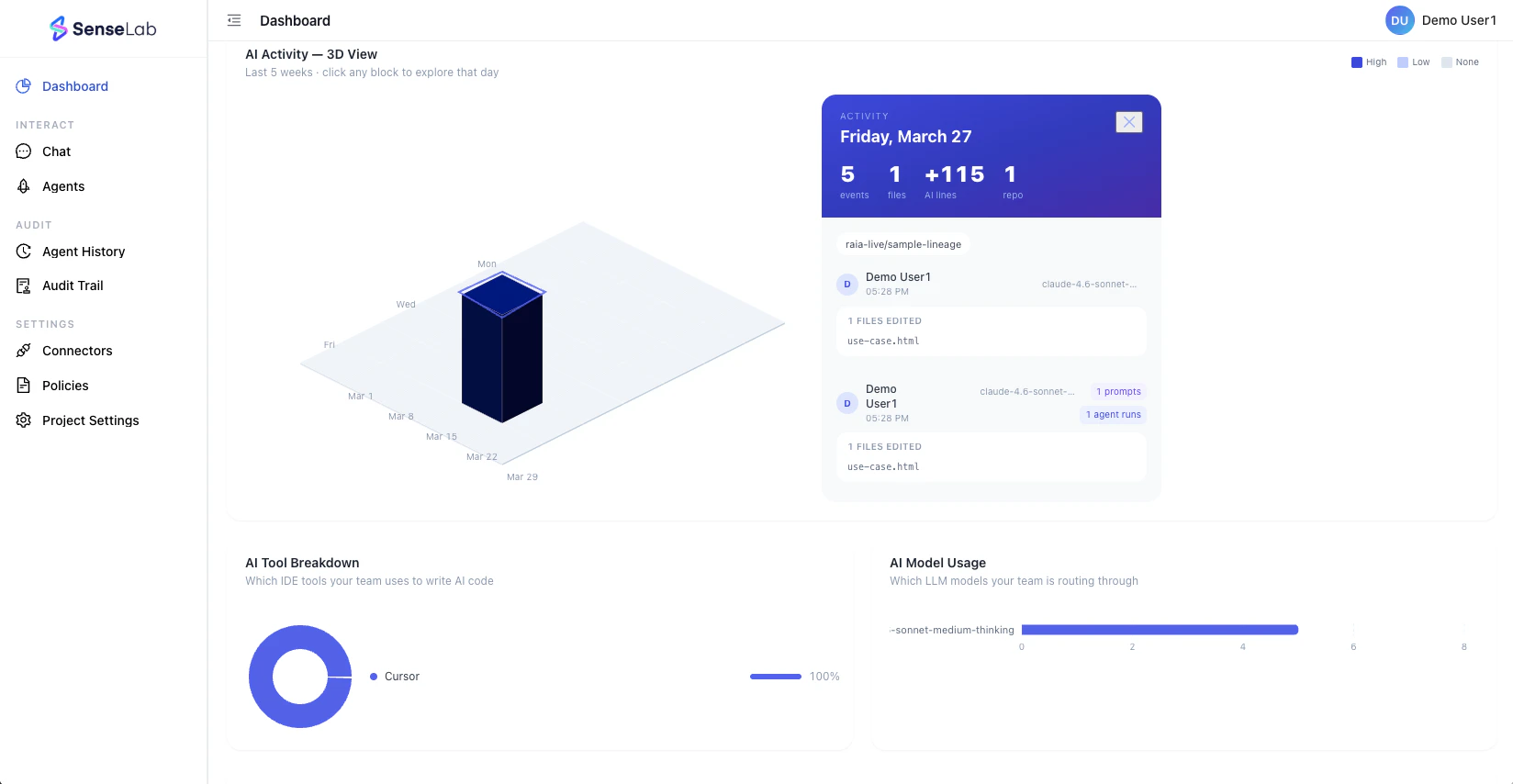
3D Activity View
Key metrics tracked
- Total Events — commits, mid-edits, and agent runs across the team
- AI Commits — percentage of commits that include AI-generated code
- Hours Saved — estimated from AI-generated lines and session patterns
- Median Session — average time from first AI edit to git push
Why it matters
For engineering managers
- Get a clear picture of AI ROI
- Know which tools your team uses
- How much time is being saved
- Where adoption is lagging Without asking anyone.
For security and compliance
- Start building a record of AI activity.
- Every sprint without lineage tracking is a sprint you’ll never be able to audit.
- The foundation you build today is the evidence pack you’ll need tomorrow.
For developers
- Get credit for the AI-assisted work you’re doing.
- Contributions are attributed
- Your productivity is quantified.
Get started
Enable lineage in your repo
Navigate to your project directory and run:SenseLab starts working immediately. Head to the SenseLab Dashboard to see your data.
AI Lineage is free forever. No credit card required. When you’re ready to add PR review, risk scoring, and AIBOM generation, upgrade to the Review plan.