
The Mental Model
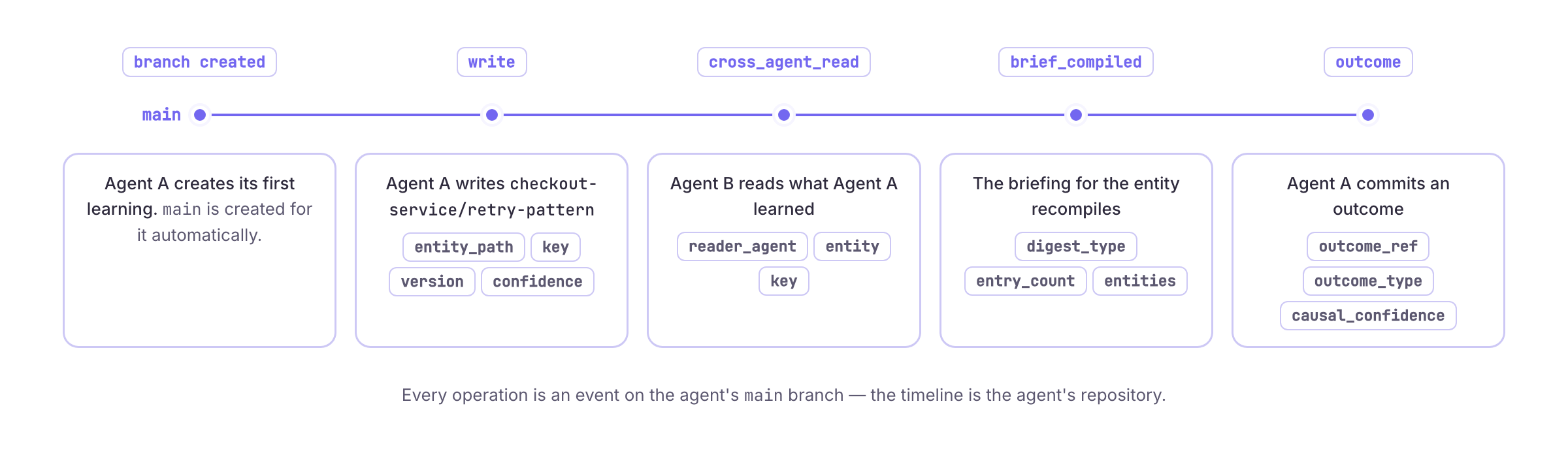
When an agent is created in SenseLab, it implicitly gets a repository with amain branch. Every operation the agent performs is logged as an event on that branch:
Event Types
Every operation produces a typed event on the agent’s timeline:Querying the Timeline
Python SDK
HTTP API
MCP
Branches (Pro)
On Pro, Teams and Enterprise you can create branches from an agent’s main timeline — just like Git branches. SenseLab uses them itself: every fix the repair loop proposes is drafted on its own branch and only merged intomain when it ships. Branches let you:
- Experiment safely — write to a branch without affecting main memory
- Share selectively — grant read or read/write access to specific users, teams, or API keys
- Review changes — see the diff between a branch and main before merging
- Merge or discard — bring branch changes into main, or close the branch
Creating a Branch
Writing to a Branch
All read/write operations accept abranch parameter:
Reading from a Branch
Access Control
Branch access is enforced at the API level. When a request targets a non-main branch, the caller’s API key is checked against the branch access grants:
Requests without access receive a
403 Forbidden response.
Viewing the Diff
Merging
Pull Requests
For team workflows, create a PR for review before merging:Tags and Rollback (Pro)
Tags
Create named snapshots of your agent’s memory at a point in time:Rollback
Restore memory to a previous state:Fork (Pro)
Clone an agent’s entire memory into a new agent:Architecture
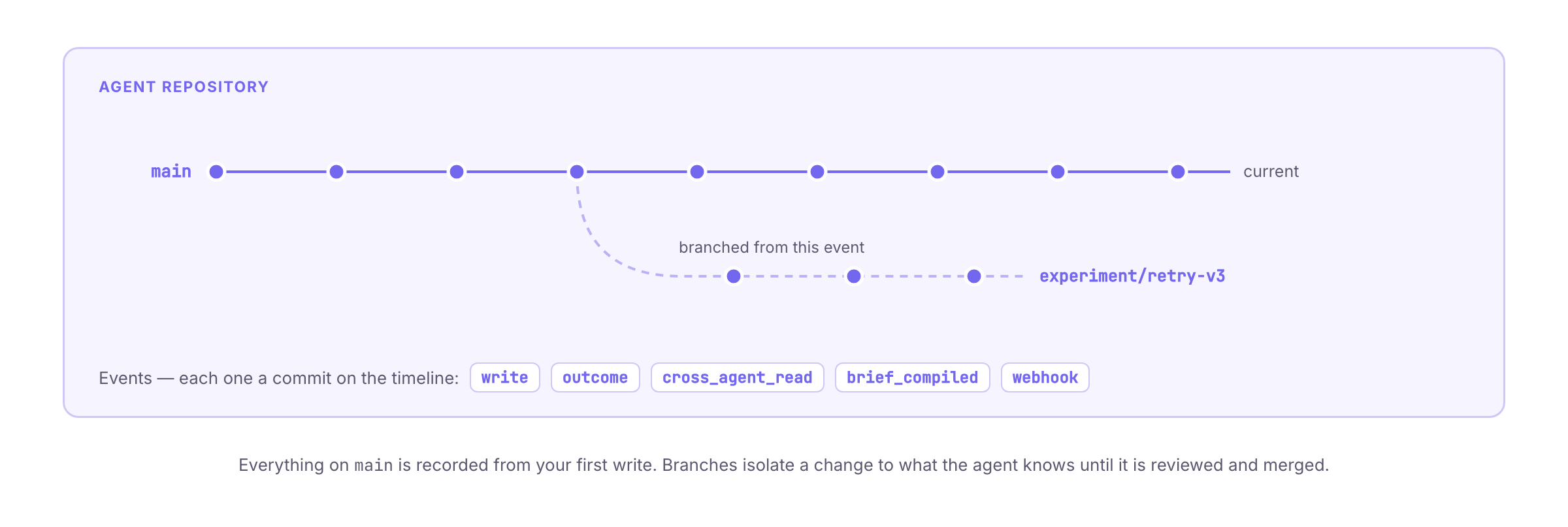
main from your first write, with nothing to
turn on. Branching, merging, tags, rollback, cherry-pick, fork, and branch
access control are available on Pro, Teams and Enterprise — see
Learning Branching for the model and
Learning as Git for the dashboard.